Personal Project
Designing a new app from scratch to develop my own AI-assisted design workflow

Personal Project | 2026
Summary
I took on this personal project to develop a firsthand perspective on AI-assisted UX design. The subject: an app for logging dogs you encounter on walks. What started as a low-stakes way to experiment quickly became a real exploration of where AI accelerates design thinking — and where it falls short.
Background
Having designed AI-powered products at Bodygram and Indeed, I've long been interested in how AI changes design work — not just what designers build, but how they build it. Despite growing pressure on designers to adopt AI, there's no clear playbook for doing it well. Designers rarely have time to experiment, and companies are slow to invest without visible impact. I wanted to run my own experiment and come away with a concrete point of view.
To do that, I designed a new app from scratch — using Claude, Figma Make, and Figma AI as my primary tools throughout the process.
The App Concept
I enjoy going for walks, and one of my favorite parts is spotting dogs along the way. I'd been noting breeds in my journal, but had no way to see patterns over time. I saw an opportunity: an app that lets you log encounters and surface insights — not just a diary, but a tool for self-discovery around which breeds you're drawn to.
User Definition
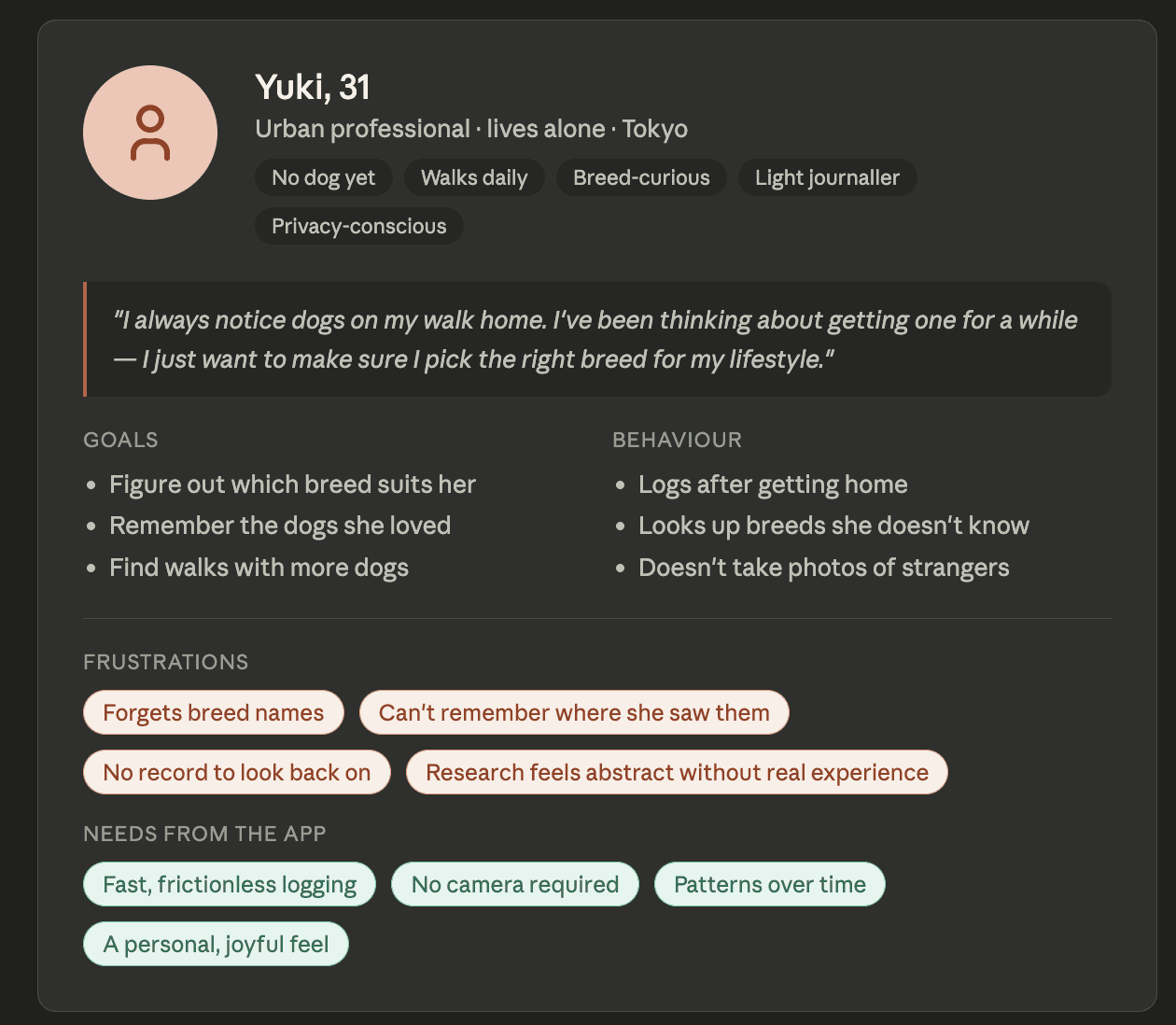
Rather than starting with a formal research plan, I described the concept in detail and iterated with Claude until the profile felt specific enough to be useful. I pushed back on early drafts that felt too broad — I wanted someone with a concrete context and motivation.
Target User
Someone who walks daily and notices dogs along the way. They don't own one yet but are seriously considering it — drawn to specific breeds, not just any cute dog.
Behavior & Goals
They look up breeds when they get home, enjoy light research, and see logging as a small satisfying ritual. Input needs to be fast — from memory, no photos. Over time, they want a reflection: "you keep reacting to calm, elegant dogs" — data to help them make a confident decision about which breed to get.
Scenario
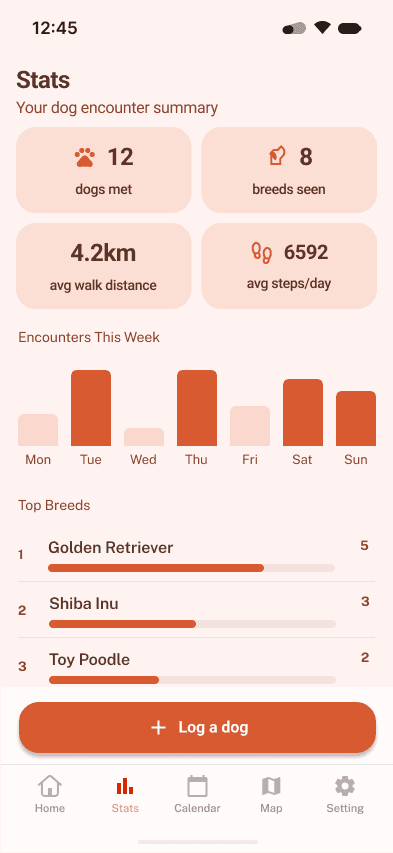
Yuki walks past dogs every morning but always forgets the breed by the time she gets home. She opens the app and logs the breed, location, and a few tags in under a minute. Three weeks later, her Stats tab shows she's logged Shiba Inus five times, all tagged "calm." The data confirms what she already felt, and she finally feels ready to choose a breed.
Competitive Analysis
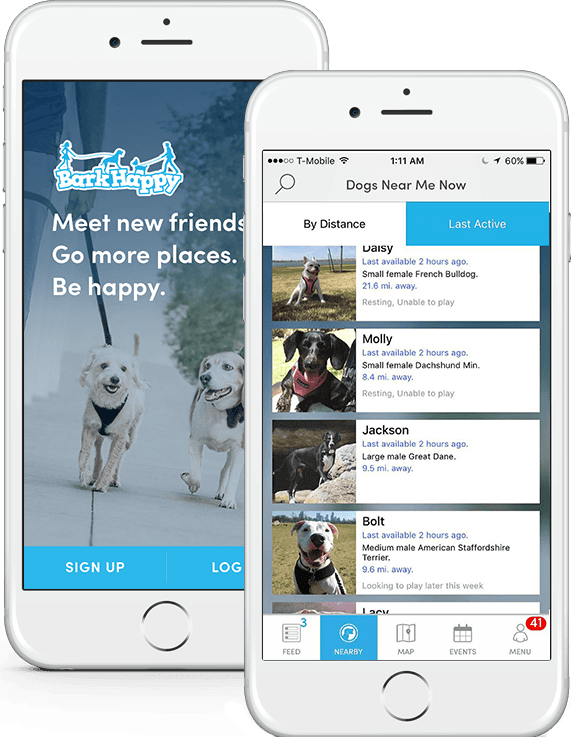
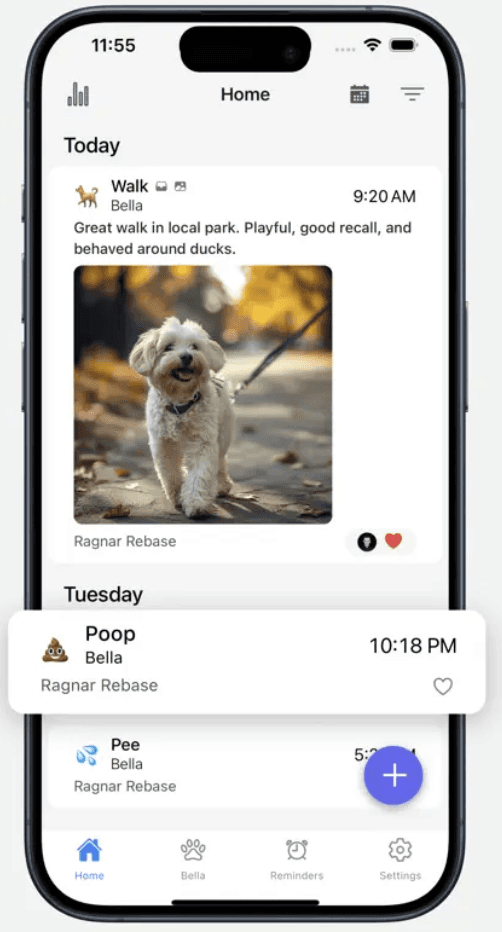
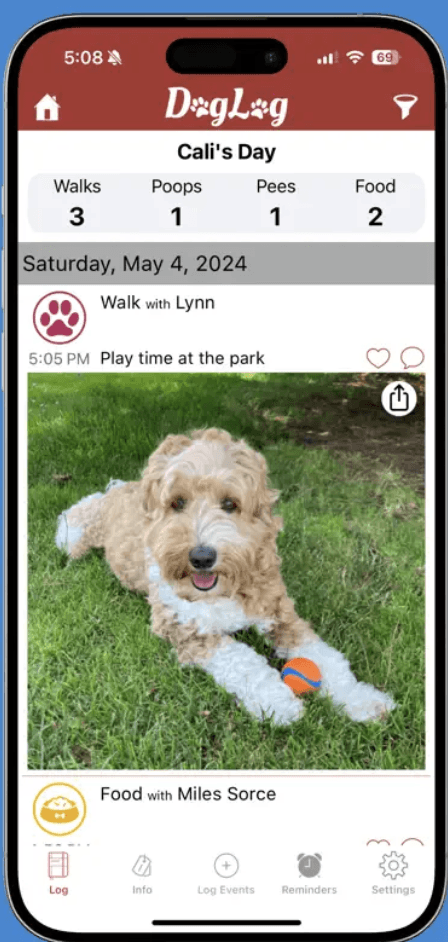
My App Store search confirmed there's no direct competitor for dog encounter logging. I used Claude to broaden the search and identify analogous products from adjacent categories:
BarkHappy — location-based social app for finding nearby dogs and dog-friendly spots
DogLog — tracks your own dog's daily activities; more of a care tracker than an encounter log
DogNote — a shared pet journal for dog owners
The gap was clear: none of these apps are built around encountering dogs you don't own.
Information Architecture
I defined three tabs around the core user goals I'd established, then used Claude to stress-test whether the structure held up:
Diary — chronological log of encounters
Breeds — every breed you've met, with detail pages and trends over time
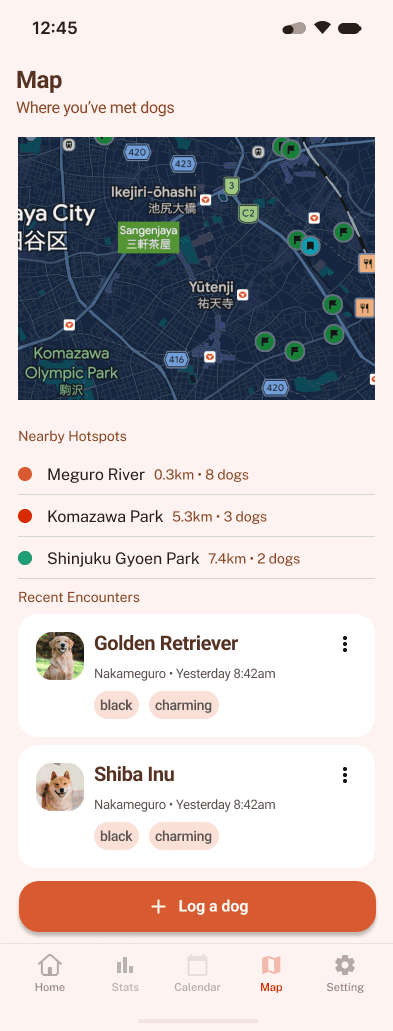
Map — encounters plotted geographically, filterable by breed
Claude's feedback reinforced the logic, though I made the final call on prioritization and the scope of each section.

Prototyping: Evaluating the Tools
Figma Make
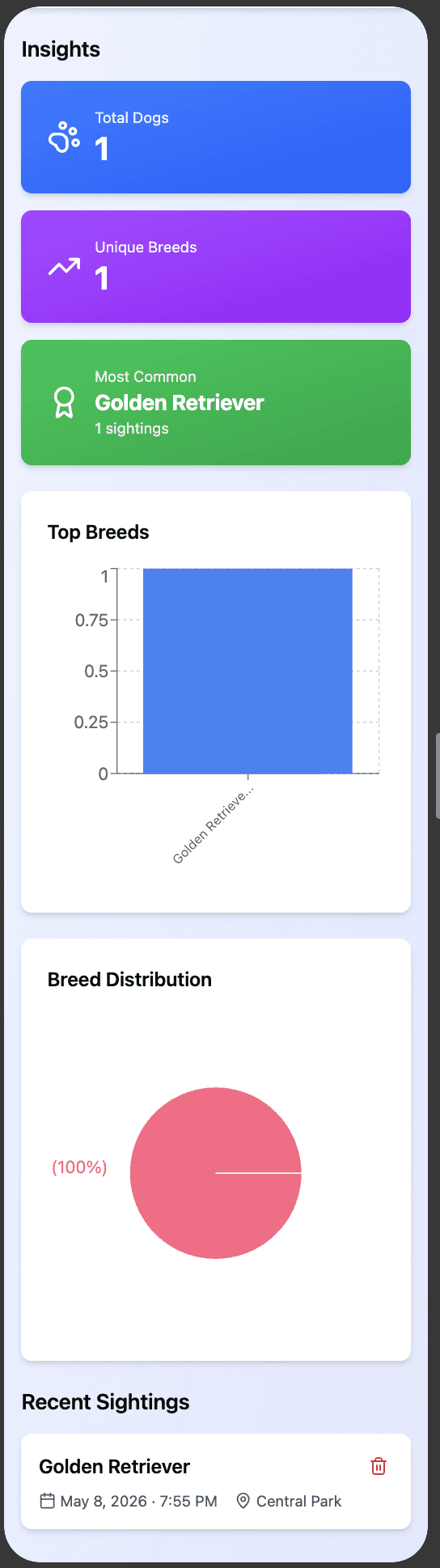
Generated a quick interactive prototype from a prompt, which was useful as a starting point. But it outputs code only, with no way to edit the design directly in Figma. Too rigid for real iteration.
Figma AI (First Draft)
Interpreted my brief and produced a social photo app — not what I had in mind. Prompting for iteration was inconsistent and frequently timed out. I decided to design in Figma directly.
Figma
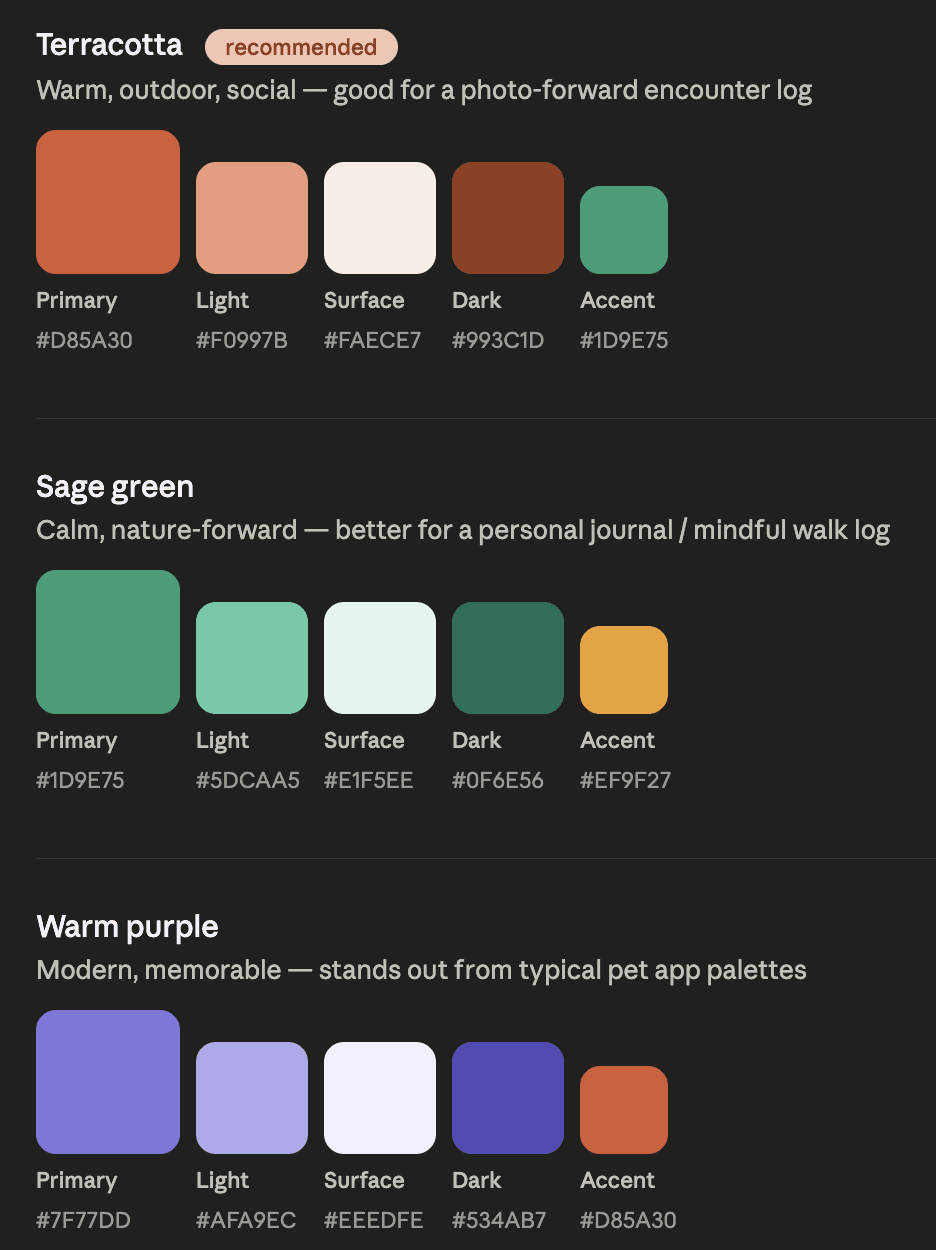
Gave me the control I needed. I built the design myself using plugins for icons and placeholder images. Throughout, I used Claude as a sounding board — exploring color palette options, evaluating layout trade-offs, and pressure-testing CTA placement. The decisions were mine; Claude gave me faster feedback loops.



Reflections & Next Steps
This project sharpened my thinking on where AI genuinely helps and where it introduces new risks.
What worked
AI accelerated competitive research, helped me articulate a user profile quickly, and made design critique faster and more iterative. It's particularly strong at getting started — generating options and synthesizing information in the early stages.
What to watch
I noticed I was reaching for Claude more reflexively than I should — prompting for answers rather than sitting with a problem first. That speed can be valuable, but it requires deliberate judgment about when to use it. The risks are real: hallucination, bias, and echo chambers mean designers need to stay critical, not deferential.
The biggest insight
AI works best when you can articulate your thinking precisely. Vague prompts produce generic output. The clearer I was about what I wanted and why, the more useful the AI became — which, in itself, is a design skill worth developing.
Next Steps
Iterate on prototype details
Design a user research plan, then conduct interviews
Synthesize interview findings with AI to inform the next design iteration
Copyright©2026. Mikako Matsunaga